
The best time to buy a monitor in the United States is the Black Friday to Cyber Monday stretch in late November. Monitors tend to hit their best prices of the year in that window, with January and February, Prime Day in July and the back-to-school weeks as the next best options. If you need one today, you can still buy smart: check the price history first, then decide whether a discount is real.
TL;DR
- Late November (Black Friday, then Cyber Monday) is the strongest window for monitor discounts.
- January and February are good backups, because brands clear old inventory and restock.
- Prime Day in July and back-to-school sales (mid-July to mid-September) bring real deals too, sometimes rivaling November.
- A previous-generation model often drops right after a new one launches, so you don't always have to wait for a holiday.
- Always compare a "sale" price against the 90-day and 365-day history. Some headline discounts are not discounts at all.
Table of Contents
- The best times to buy a monitor, at a glance
- Black Friday and Cyber Monday: the safest bet
- January and February: the quiet second chance
- Prime Day and summer: a mid-year window
- New model launches: buy the old one
- How to tell a real monitor deal from a fake one
- Our perspective: judge the price, not the sticker
- How to time your own monitor purchase
- Track monitor prices with BasketPrice
- Is it a good time to buy right now?
- FAQ
- Sources
The best times to buy a monitor, at a glance
Monitors don't follow one neat calendar, but the same handful of windows come around every year. Here is how they compare.
| Window | When | What to expect | Best for |
|---|---|---|---|
| Black Friday and Cyber Monday | Late November | The deepest and broadest discounts of the year | Almost any buyer, especially gaming and OLED models |
| January and February | Early new year | Clearance of old stock as manufacturers restock | Buyers who missed November |
| Prime Day | July (some years June) | Strong Amazon discounts, plus competing retailer sales | Mainstream and budget monitors |
| Back to school | Mid-July to mid-September | Student-focused office and productivity monitor deals | 24 to 27 inch work and study screens |
| New model launches | Spring, often April and May | Previous generation gets cleared | Value hunters who don't need the newest panel |
The timing in this table comes from Display Ninja's guide to buying a monitor, which puts Black Friday first, Cyber Monday second, and names January and February as favorable months.
Black Friday and Cyber Monday: the safest bet
If you can wait, this is the window. Retailers compete hardest on electronics in late November, and monitors are an easy product to discount: they are bulky, widely stocked and sold by many brands at once. One analysis of gaming gear says that monitors consistently reach their lowest annual prices between Black Friday and Cyber Monday.
What do the numbers look like at the high end? In one end-of-year sale, the LG 45-inch UltraGear OLED gaming monitor was listed at $1,306.99, 35% below its original $1,999.99. That kind of cut is why premium panels are worth holding out for. Budget 1080p monitors discount in smaller dollar amounts, but they still bottom out around the same time.
A few practical points about Black Friday:
- Deals start early. Many retailers open sales a week or more before the day itself. We track the Amazon side of this on our Black Friday event page.
- Cyber Monday is not an afterthought. Some monitor models are cheaper on the Monday than on the Friday, and some are not. Our Cyber Monday versus Black Friday comparison shows how the two have differed.
- Stock runs out. The best-priced models, often doorbusters, sell out. Have a shortlist ready before the sale starts, so you aren't choosing in a rush.
January and February: the quiet second chance
Miss November and you haven't missed out. January and February are favorable months because manufacturers restock supplies and may lower prices to clear old inventory. Retailers want shelf space for the new year's lineup, and many shoppers have just spent their budgets, so demand is soft.
The trade-off is selection. The most popular models from the holiday sales may already be gone, and you'll often be choosing from what's left. If you have a specific model in mind, set a price alert in December so you know whether it dropped in the first weeks of January.
Prime Day and summer: a mid-year window
Prime Day has turned July into a second shopping season for monitors. Display Ninja lists Prime Day alongside Black Friday as a major event for monitor deals, and it also points to the back-to-school period from mid-July to mid-September as a good time to look.
Other retailers respond, too. In one summer example, Dell's own Black Friday in July sale took $350 off the Alienware AW3225QF, bringing it to $849. Because the date of Prime Day shifts between years, check our Prime Day page with every past date for the usual pattern. We also keep a page on Prime Big Deal Days, Amazon's fall event, which is useful if you're shopping right before November.
Summer is a particularly good time for 24 to 27 inch office and study monitors. If you want a higher refresh rate or an OLED panel, November still tends to offer the better spread of models.
New model launches: buy the old one
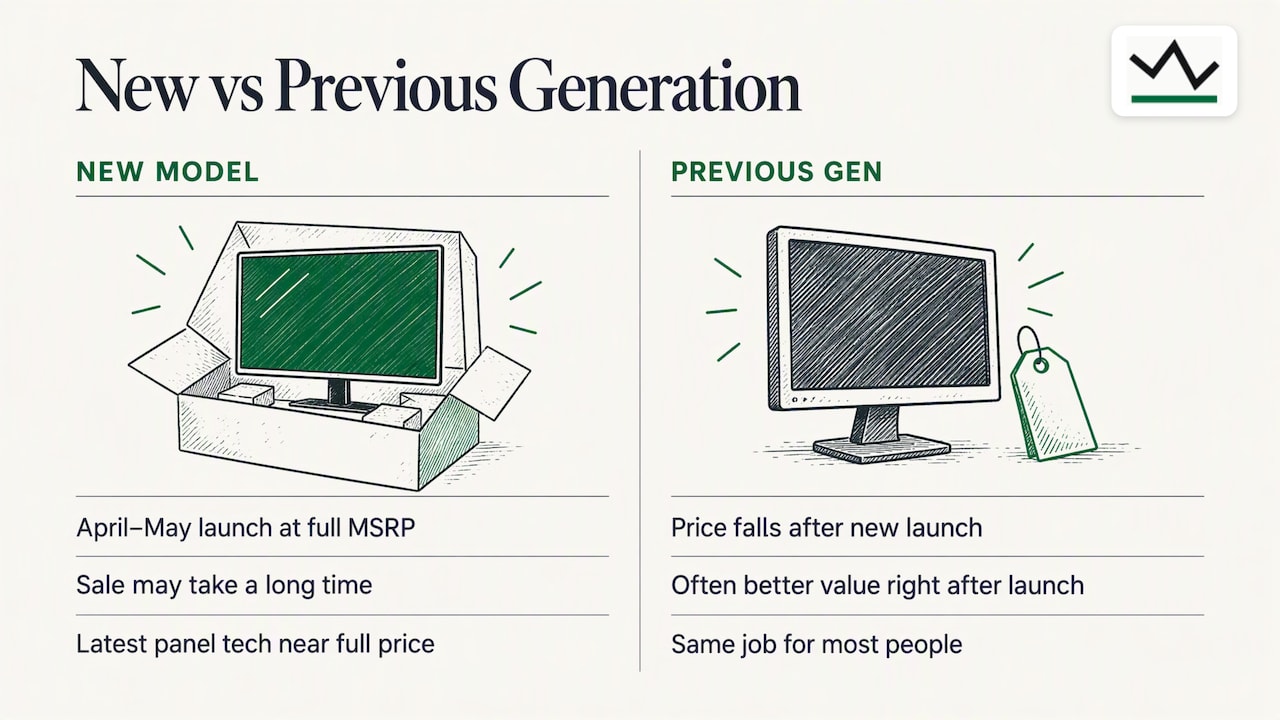
Monitor prices don't only follow the shopping calendar. They follow product cycles. Asus, Dell and LG tend to release new models in April and May, at full MSRP, while the previous generation has already been cleared. That means the new model is rarely discounted at launch, and waiting for it to go on sale can take a long time.
The same source notes that buying the previous generation right after a launch often gives better value than waiting for the holidays, because prices fall at once to clear remaining stock. For most people, last year's monitor does the same job. The differences between generations are often a slightly better panel, a few more ports or a small refresh-rate bump.
A simple rule: if you need the latest panel technology, expect to pay near full price for a while. If you need a good screen for the lowest cost, look at the generation before.
How to tell a real monitor deal from a fake one
Timing gets you into the right window. Price history tells you whether the number on the screen is any good.
What the law says about "regular" prices
In the U.S., the Federal Trade Commission's pricing guides say that a "former" or "regular" price comparison is only legitimate if the higher price was a genuine price offered openly to the public for a reasonably substantial period in the recent course of business. A crossed-out price that was never really charged is a problem.
Some states are stricter. Law firm Cowan, Liebowitz & Latman notes that some states apply a "28/90" rule: an item must have been offered at the regular price for at least 28 of the previous 90 days before a sale price can be advertised. State-level false advertising laws can be more prescriptive than federal guidance.
You don't need to know the legal details to shop well. You do need to know that the "was" price on a sale tag is a claim, not a measurement.
What the data says about inflated discounts
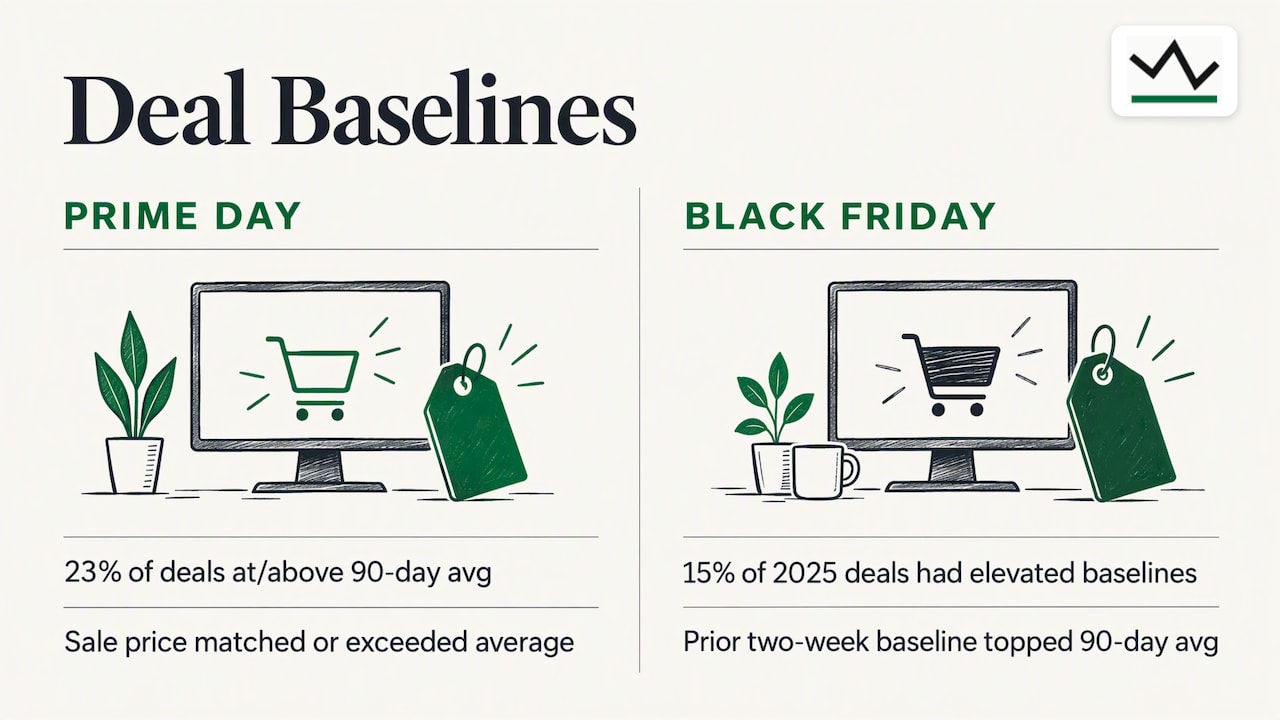
Product Lab Tested's tracking found that 23% of Prime Day "deals" were priced at or above their 90-day average before the sale. The same analysis found that 15% of Black Friday deals in 2025 had higher baselines in the two weeks before the sale than their 90-day average, which inflated the headline savings.
In plain terms: roughly one in five sale prices can look better than it is. A monitor that was $280 for three months, then "jumped" to $350 for ten days, then "dropped" to $280 at 20% off, is not a deal.
A quick check before you buy
- Look at the lowest price over the last 90 days and over the last 365 days.
- Compare the current price with the typical (not the peak) price.
- Check whether the same model dipped lower in a previous sale season.
- Compare the exact model number. Retailers sometimes sell near-identical variants under different SKUs.
Our guide on how to check price history, including 90-day and 365-day lows walks through this step by step.
Our perspective: judge the price, not the sticker
We built BasketPrice because the question "is this a good price?" shouldn't depend on what the seller says. Our price records come from our own collected readings, not from merchant claims about what an item used to cost. That matters most with monitors, where list prices are often high and discount percentages are often generous.
Our view is that the calendar is a starting point and the price history is the decision. A monitor can be cheapest in March one year and cheapest in November the next, depending on the model, the stock and the competition. So we suggest a two-step approach: use the seasons above to know when to pay attention, then let the recorded history tell you whether to buy. Our alerts are built for exactly this, including a trigger for price drops after you buy, while you are still inside the return window. Browser notifications work without signing up, so you can start tracking right away.
— Cleaning
How to time your own monitor purchase
Here is a practical routine that works whether you have two weeks or six months.
- Decide on the specs first. Size, resolution, refresh rate and panel type narrow the field. Gamers, designers and office workers each need different things. A model you don't need is not a deal at any price.
- Pick two or three candidates. One ideal, one cheaper alternative and one from the previous generation.
- Look at their price history. See where each sits against its 90-day and 365-day lows. Our monitor deals page shows current prices, and the best-selling monitors list shows what other buyers are choosing.
- Set alerts. Choose a target price a little above the historical low if you want to buy soon, or at the low if you can wait.
- Pick your window. If it's before late November, wait for Black Friday and Cyber Monday. If it's after, consider January and February. If it's spring, look at the previous generation of the new releases.
- Buy within the return window, then keep watching. If the price drops after you buy, you may be able to return and rebuy, depending on the retailer's policy.
For a longer breakdown by month, see our page on the best time to buy a monitor in 2026.
Track monitor prices with BasketPrice
If you're deciding between buying now and waiting for the sales, let the data do the waiting for you. BasketPrice tracks monitor prices across major online retailers, mainly Amazon, and alerts you when a price drops or an item is back in stock.
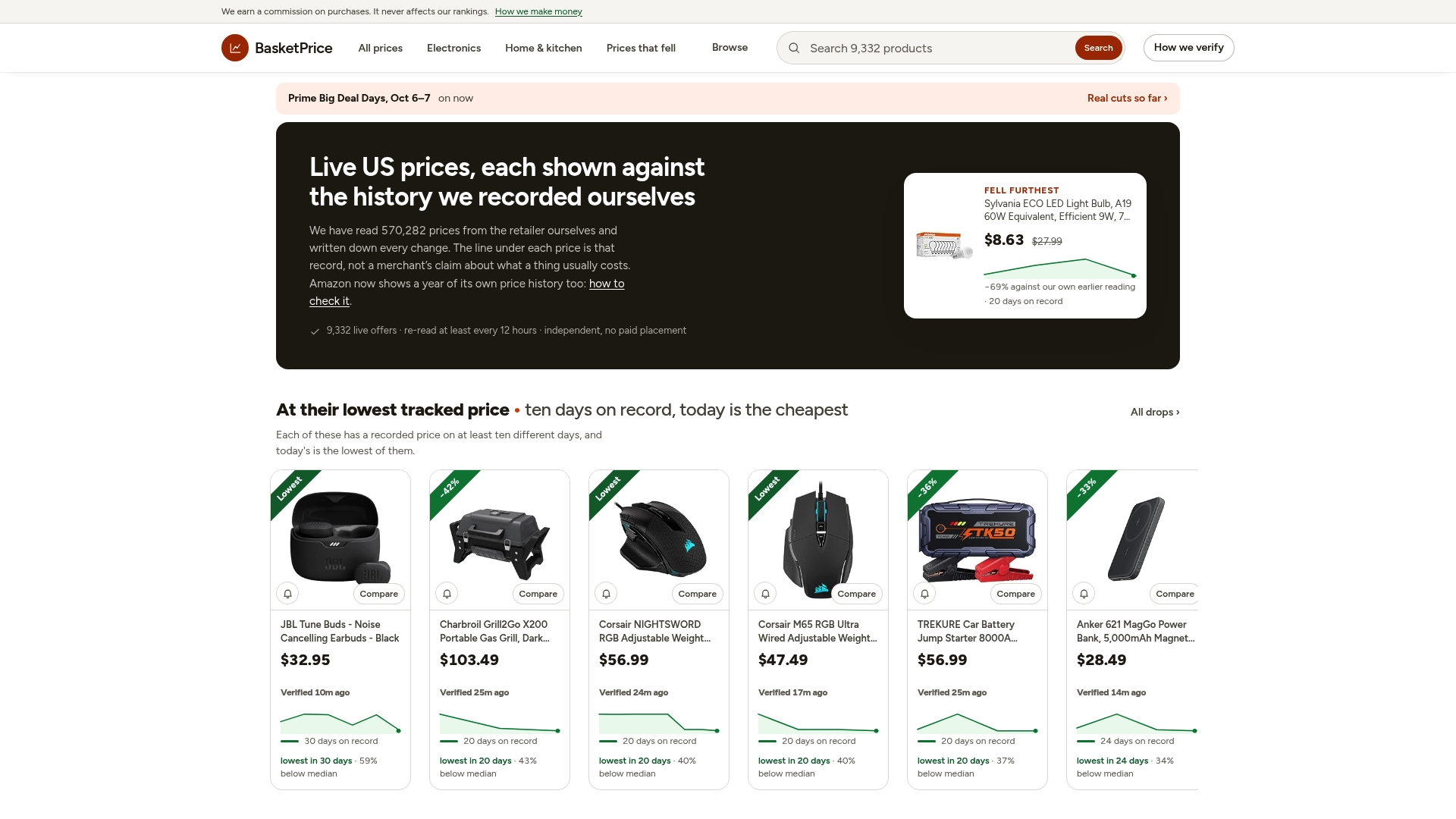
You can browse the electronics section to see current prices and price history, or set an alert on the exact monitor you want. You can also use the Amazon discount finder to see prices that actually fell, rather than ones that were merely marked down on paper.
Is it a good time to buy right now?
As of late October, Black Friday and Cyber Monday are only weeks away. If your current monitor works and you aren't in a hurry, waiting for late November is the most sensible move, since that is when monitors tend to reach their lowest annual prices. Shortlist your models now, check their price history, and set alerts so you can act quickly when sales begin.
If your monitor is broken or you need a screen for work, buy now, but pick a model whose current price is close to its 90-day low. Then keep an alert running in case the price drops again during the return window.
FAQ
Are monitors cheaper on Black Friday or Cyber Monday?
Both bring strong prices, and monitors tend to be at their lowest annual prices somewhere in that window. Some models are cheaper on Cyber Monday and others on Black Friday, so compare the price history of your specific model rather than assuming one day always wins.
Is January a good time to buy a monitor?
Yes. January and February are considered favorable months, because manufacturers restock and may lower prices to clear older inventory. Selection can be thinner than in November, so it works best if you're flexible about the exact model.
Should I wait for the next model before buying?
Usually not. New monitors from major brands tend to launch at full MSRP, while the previous generation is often cleared at lower prices around the launch. If you don't need the newest features, the older model is generally better value.
How do I know a monitor discount is real?
Compare the sale price against the 90-day and 365-day price history, not against the crossed-out price. If the item was recently priced at or above the sale price for weeks, the discount is likely marketing. Under FTC guidance, a "regular" price should have been a genuine price offered to the public for a reasonable period.
Is Prime Day better than Black Friday for monitors?
It depends on the model. Prime Day offers real discounts, particularly on mainstream and budget monitors, while Black Friday usually has the wider selection and the deepest cuts on premium and gaming models. Track the price history and compare.
Sources
- When Is The Best Time To Buy A Monitor? Display Ninja guide
- Best times to buy gaming gear: when prices actually drop
- End-of-year deals, including the LG UltraGear OLED monitor (PCMag)
- Dell's Black Friday in July sale on the Alienware AW3225QF (Tom's Hardware)
- Seasonal Tech Deals Calendar: When to Buy Every Category
- 16 CFR § 233.1, Former price comparisons
- Advertising Law Alert on pricing rules (Cowan, Liebowitz & Latman)