

Best Buy does not show a price chart on its product pages. You see today's price, sometimes a crossed-out "was" price, and a savings badge. To see what an item actually cost over the past weeks and months, you need a price history from a source that records prices itself, and you need to know how to read it. This guide covers where to get that history, how to judge a Best Buy "deal" with it, and how to use it to claim money back after you buy.
TL;DR
- Best Buy's own product pages show the current price and a reference price, not a record of what the item sold for.
- A genuine deal is a price below the item's typical street price over the last 90 days, not a price below the crossed-out number.
- Check the same model at other retailers, because Best Buy often moves with the market. Amazon history is the easiest to verify.
- After a purchase, watch the price through your return window. If Best Buy drops its own price, you may be able to request an adjustment.
- Set an alert at the price you would happily pay, then stop refreshing the page.
Table of Contents
- What Best Buy shows you, and what it leaves out
- What "price history" should actually tell you
- Four ways to see price history for a Best Buy item
- How to read a price chart without fooling yourself
- A worked example
- Use history after you buy, too
- Why a recorded history beats a merchant claim
- Our perspective
- Set an alert instead of checking every day
- A short checklist before you click buy
- FAQ
- Sources
What Best Buy shows you, and what it leaves out
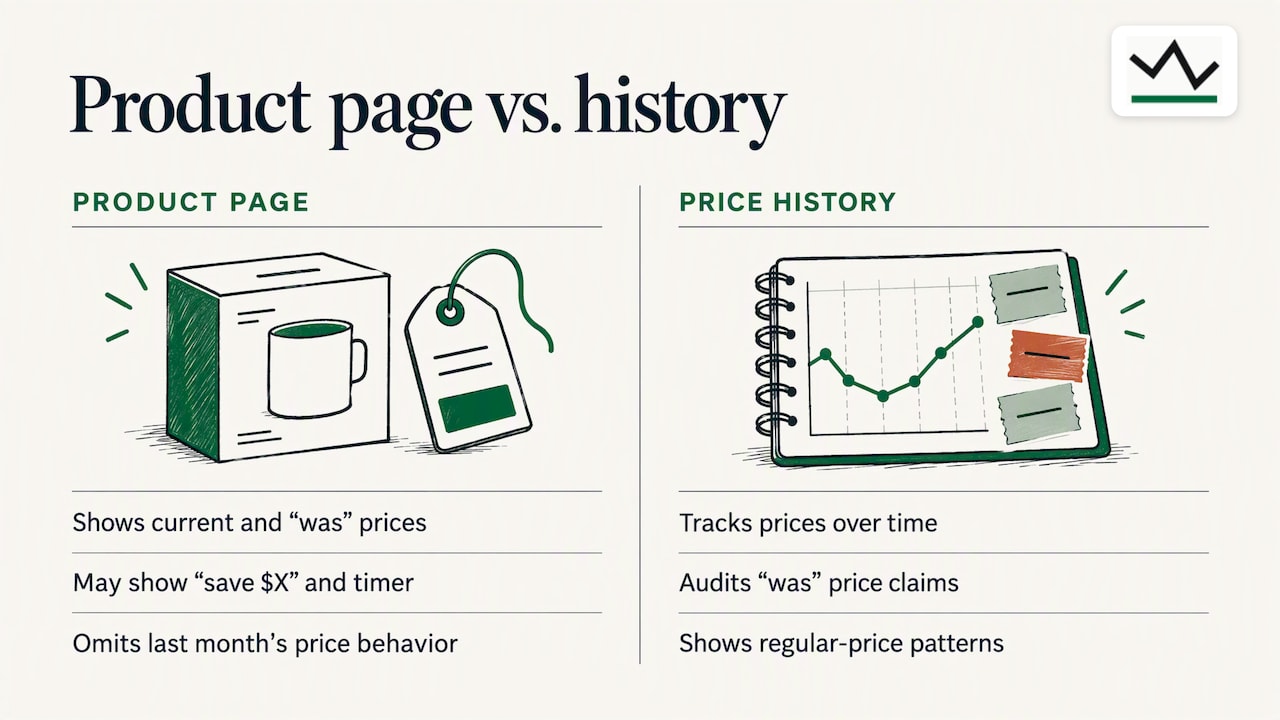
Open any TV, laptop or pair of headphones on bestbuy.com and you get a small set of price signals: the current price, a "was" price, a "save $X" line and sometimes a deal-of-the-day timer. None of these tells you how the price behaved last month.
The "was" price is the one that misleads people. It is a reference price. It may be a launch price from two years ago, a manufacturer's suggested price, or a price the product held for a few days. It does not promise the item sold at that number for any meaningful stretch.
The rules exist for a reason. The Federal Trade Commission's guidance on reference pricing says a former or regular price should be a bona fide price offered to the public on a regular basis for a reasonably substantial period, not a number inflated to make a later sale look better. In practice you cannot audit that from the product page. You can only audit it with a history.
What "price history" should actually tell you
A useful price history answers four questions:
- What is the lowest price recorded, and when? This is your all-time or 365-day low.
- What was the typical price over the last 90 days? This is your baseline.
- How often does the price dip, and how far? Some items drop every few weeks. Others hold steady and then fall once.
- Did the price rise just before the "sale"? A ramp up followed by a "discount" is the pattern you want to catch.
One analysis of electronics sales suggests defining a real deal as a price below the item's sustained 90-day average street price, measured across several retailers rather than against a list price. That is a sensible yardstick, and it is easy to apply once you have a chart.
Four ways to see price history for a Best Buy item
1. Use a tracker that records its own readings
The most reliable history comes from a service that checks prices on a schedule and stores what it saw, rather than repeating the merchant's claims. That is how we approach it at BasketPrice: the records on our pages come from our own collected readings, and you can see the 90-day and 365-day lows before you decide. Our tracking focuses on Amazon, so for a Best Buy purchase it is most useful as a cross-check, which we explain below.
2. Cross-check the same model on Amazon
Many electronics are sold at both stores under the same model number. Big retailers watch each other, and a price cut at one often shows up at the other within days. If the Amazon history for the identical model shows a recent low at $X and Best Buy is asking $X plus $60, you have learned something the Best Buy page would never tell you.
Paste the product link into our Amazon price tracker and read the chart. Our guide to checking price history for 90-day and 365-day lows walks through what each line means.
3. Use category-level trend pages
If you are buying a type of product rather than one specific model, trend data by category helps. Our best time to buy electronics page shows when prices in the category have tended to fall. For a worked example in one category, see our look at TV price trends for US shoppers.
4. Build your own log
If you only care about one or two items, a spreadsheet works. Record the date, the price, and whether a promotion was running, every few days. After a month you have a small history of your own. It is slow, and it will miss overnight dips, which is why most people prefer an automated tracker.
A note on the other thing people search for: if you landed here looking for Best Buy's stock price rather than product prices, that history lives on financial sites such as Yahoo Finance's BBY page, which lists daily closes for the NYSE ticker.
How to read a price chart without fooling yourself
A chart is only helpful if you read it with a plan. These checks take under a minute.
Compare today's price to the 90-day typical price
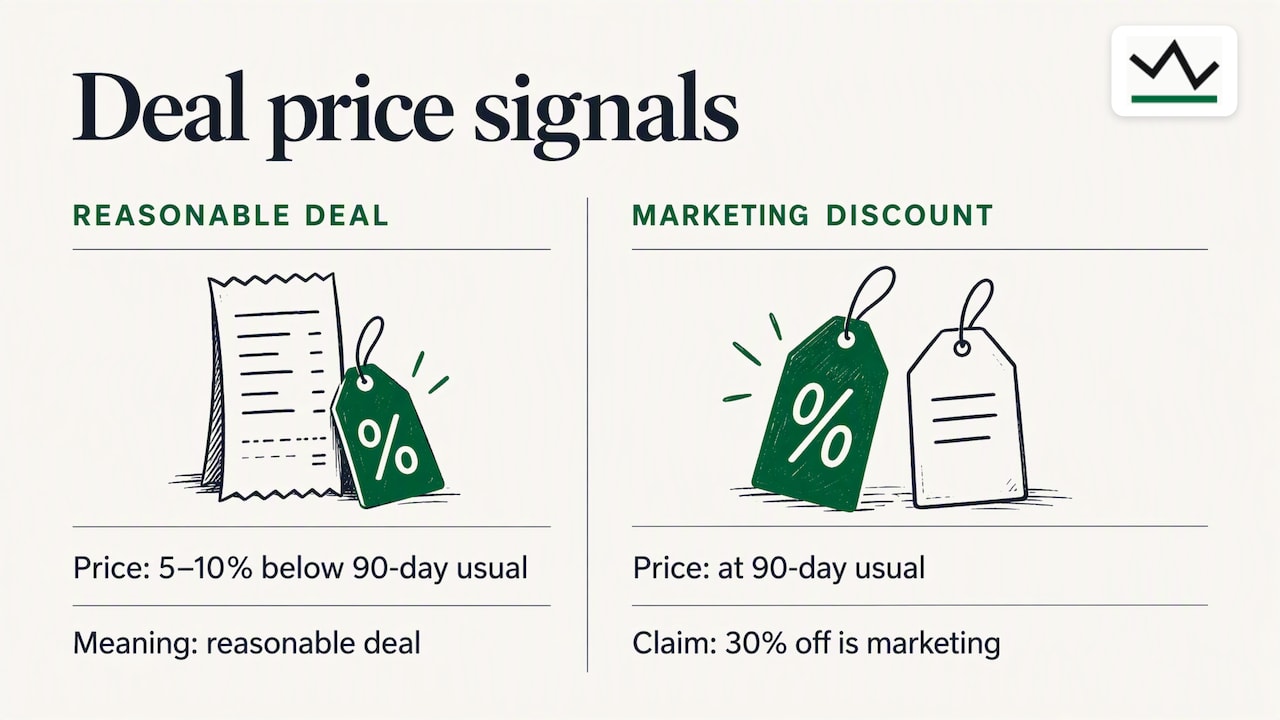
Ignore the "was" price. Find the usual price over the last three months and compare. If today's price is 5 to 10 percent below that baseline, it is a reasonable deal. If it is equal to the baseline and the page claims 30 percent off, the discount is marketing.
Look at the lowest point, then ask why
A recorded low during a major sales event, such as Black Friday or a back-to-school promotion, will likely return at the next event. A low in the middle of a quiet month may be a clearance, a stock clear-out ahead of a new model, or a pricing error. Clearance prices rarely come back.
Watch for the ramp
If the price climbed in the two to three weeks before a sale, the "discount" may simply be the old price returning. Our walkthrough of five price history checks to spot sale noise lists the patterns worth catching.
Do the unit math on bundles
Bundles and multipacks change the comparison. A two-pack at $39.98 is not a deal if the single item has been $18.99 recently. Our guide to comparing unit prices online with price history shows the five steps.
A worked example
Say you want a pair of wireless earbuds listed at $149.99, with a "was" price of $199.99 and a badge reading "Save $50".
| Check | What you find | What it means |
|---|---|---|
| Listed discount | $50 off $199.99 | Based on a reference price you cannot verify |
| 90-day typical price | About $159 | Today's $149.99 is roughly 6% under baseline |
| 365-day low | $129.99, recorded during a holiday event | A better price has happened, and may return |
| Same model elsewhere | Currently $154 | Best Buy is competitive, not exceptional |
These figures are an illustration, not a real product. The conclusion is the point: the badge says $50 off, the history says about $10 off, and the 365-day low says waiting for the next big event could save another $20. If you need the earbuds this week, $149.99 is fair. If you can wait, set an alert at $135.
Use history after you buy, too
Price history is not only a pre-purchase tool. The price can fall after you check out, and some retailers will refund the difference if you ask in time.
Best Buy publishes a Low Price Guarantee. The page we can verify is the Canadian one, and it says you can request a match if you find a lower price before you buy or within 30 days of purchase, with an extended window for My Best Buy members in Canada. That is a Canadian policy. US windows, member tiers and exclusions are different and change, so open Best Buy's US price match and adjustment page and read the current terms before you rely on any number of days.
The habit that works in either country is the same:
- Keep your receipt or order confirmation.
- Note the last day you can return or adjust the item.
- Track the price until that day.
- If it drops, ask for the adjustment with the order number and the current price in hand.
Our alerts include a trigger for exactly this: a price drop after you have bought, inside the return window. Read more in our guide to Amazon price alerts and verifying drops with a year of data. The same idea applies to Amazon purchases and to other stores that adjust prices within a return window.
Why a recorded history beats a merchant claim
Retailers are allowed to run sales. They are not supposed to invent the original price. Legal commentary on false price advertising describes the classic problem: a store advertises a steep markdown from a price at which the item was never genuinely sold. Enforcement happens after the fact, and most shoppers will never file a complaint over a $30 television discount.
The practical protection is your own evidence. A history that comes from independent readings, taken before the sale, lets you see whether the "was" price was ever real. That is the reason we publish only prices we observed ourselves.
Our perspective
We built BasketPrice around one frustration: a discount badge tells you what the seller wants you to believe, not what happened. When we record prices ourselves, day after day, patterns appear that no product page will show you. Items that look discounted are often sitting at their normal price. Items that look ordinary are sometimes at their lowest in a year.
We are also clear about our scope. Our tracking is built around Amazon, so we do not claim to show Best Buy's own price chart. What we can do is show you what the same model has done at one of the largest retailers in the country, which is usually the best predictor of whether a Best Buy price is about to move. Pair that with your receipt and the return window, and you have the two tools that matter: knowing when to buy and knowing when to ask for money back.
Our advice is simple. Decide your price before you shop. Let the history tell you whether that price is realistic. Then set an alert and let it come to you.
— Cleaning
Set an alert instead of checking every day
Checking prices by hand does not scale. If you are watching three or four items through a 15 to 60 day window, you will miss a drop.
With BasketPrice you paste a product link, choose the price you want, and get a browser notification when it hits that number. No sign-up is required for the alerts. You can also ask for back-in-stock notices, which matter for items that sell out at sale prices.
Start with the Amazon price tracker, or browse current ranges where you are shopping: electronics (typically $79 to $650 in October 2026, as listed on the page), smart home and sports and outdoors. Each page links to individual products with their price history.
A short checklist before you click buy
- Ignore the "was" price and the savings badge.
- Find the 90-day typical price and the 365-day low.
- Check the same model at another large retailer.
- Look for a price ramp before the sale.
- Check whether a bigger sale event is within a few weeks.
- Save your receipt and note the last day for a price adjustment or return.
- Set an alert for the price you would be glad to pay.
For the related question of how to track items across a whole year of buying, our guide to tracking Amazon prices and verifying the "was" price goes step by step. If you shop at another big-box store, Target's price match rules are worth a read as well.
FAQ
Does Best Buy show price history on its website?
No. Product pages show the current price and a reference price with a savings amount, but no chart of past prices. To see how a price has moved, use an independent tracker, or check the same model's history at another large retailer.
How can I tell if a Best Buy sale is real?
Compare the sale price with the item's typical price over the last 90 days, not with the crossed-out price. If the sale price is at or near that baseline, the discount is mostly marketing. If it sits close to the 365-day low, it is a strong deal.
Can I get money back if the price drops after I buy?
Possibly, within the retailer's window. Best Buy's Canadian site describes a 30-day low price guarantee, and US terms differ, so read the current US policy and keep your receipt. Track the price through the window and ask promptly if it falls.
Is there a free way to watch a Best Buy price?
Yes. You can keep a simple spreadsheet, or use a free alert tool that notifies you when a price reaches your target. Our alerts work through browser notifications with no sign-up, and are built for Amazon listings, which helps you watch the same model at a major competitor of Best Buy.
Sources
- FTC: Analysis of Department Store Reference Pricing in Metropolitan Washington
- Sale Price Myths: When Electronics Actually Get Cheap
- Best Buy Canada: Low Price Guarantee
- False Price Advertising: How to Spot It and What to Do
- Yahoo Finance: Best Buy Co., Inc. (BBY) Historical Prices