

A good price alert does one job: it tells you when a product you already want reaches a price you already decided on. To set one up, pick the item, choose a target price, choose how you want to be told (email, browser notification or phone), and keep the list short enough that every message matters. This guide covers shopping price alerts for products, mainly on Amazon, not stock tickers. It walks through each step, the thresholds that work, and how to tell a real drop from sale noise.
TL;DR
- Amazon does not give you a full alert system for exact price drops on specific products, so shoppers usually rely on a third-party tracker (BrandsBro).
- Set your target from price history, not from the "was" price on the page. The lowest price of the last six months is a sound target for anything you do not need right away.
- Use a drop threshold of roughly 10% for general purchases, and higher for categories that discount deeply (TaskMonkey).
- Keep 10 to 15 active alerts, and use email for slow deals and browser notifications for fast ones.
- Our browser notifications need no sign-up, and they can also flag a drop after you buy, while you can still return the item.
Table of Contents
- What a price alert is, and why you want one
- How to set up a price alert in five steps
- Email, browser or phone: which alert channel fits
- What a good alert message contains
- Choosing the right drop threshold
- How to tell a real deal from sale noise
- Managing alerts so you do not miss the good ones
- What to look for in a price alert service
- Our perspective
- Start tracking with BasketPrice
- FAQ
- Sources
What a price alert is, and why you want one
A price alert is a rule you set once: "tell me when this item costs this much or less." Instead of checking a product page every few days, a tracker records the price for you and sends a message when your condition is met.
The reason this matters on a marketplace like Amazon is that prices move constantly, and the page itself will not tell you whether today's number is good. Amazon does not offer a full alert system for exact product price drops, which is why shoppers turn to outside trackers for custom alerts on specific items (BrandsBro).
There are three kinds of alert you will run into:
- Target price alerts. You name the price. You are notified when the item reaches it or goes below it.
- Percentage drop alerts. You name a percentage. You are notified when the price falls by at least that much from where it was.
- Back-in-stock alerts. You are notified when an item that was unavailable returns, which matters for popular electronics and seasonal items.
Most people need the first two. The third is a quiet lifesaver when the item you want keeps selling out.
How to set up a price alert in five steps
The exact buttons differ between services, but the process is the same everywhere.
1. Start with the product, not the deal
Pick something you would buy this month if the price were right. An alert on an item you only vaguely like becomes noise within a week. Copy the product link from the retailer page.
2. Look at the price history before you set a number
A target is only useful if it is realistic. Open the item's history and ask three questions:
- Is the current price near the low end of its normal range?
- Does the item dip often enough that waiting is reasonable?
- Is this a category with predictable sale windows, such as electronics around big shopping events?
Our guide to checking price history explains the 90-day and 365-day lows we show for each product, and how to see Amazon price history walks through reading the chart.
3. Choose the target
For an item you do not need immediately, a practical target is the lowest price of the previous six months. That keeps you from buying at a price that only looks good because the listed "original" price was inflated (MakeUseOf). If you need the item soon, set a ceiling you can live with instead and accept that it may not hit the floor.
4. Choose the channel
Email, browser notification and phone push each suit a different kind of deal. The next section covers how to pick.
5. Confirm the alert works
After you create it, check that the tracker shows the alert as active with the price you meant. A typo of one digit in a target price is the most common reason an alert never fires.
If you want to do this for Amazon right now, our Amazon price tracker takes a product and lets you set the alert from the same page.
Email, browser or phone: which alert channel fits
The channel decides whether an alert helps you or interrupts you.
| Channel | Best for | Trade-off |
|---|---|---|
| Non-urgent items you are happy to wait on | Can sit unread for hours | |
| Browser notification | Time-sensitive drops, such as limited-time deals | Only reaches you when the browser is running |
| Phone push or messaging app | Must-have items you will act on immediately | Easy to overuse |
A practical split from tracker guidance: email for the slow stuff, browser push for deals that can vanish quickly, and phone notifications reserved for the few items you really want (TaskMonkey).
Email price alerts
Email is the most familiar format and works well for patient shopping. Many services send a message when your target is reached. Even large search engines have offered a version of this: a major search engine's shopping tool has been described as sending a daily email that summarizes price changes over the past 24 hours for items you track (CNBC).
If you use email alerts for Amazon products, give them a home. A dedicated folder or a Gmail filter that labels every price alert keeps them out of your main inbox and still easy to scan (TaskMonkey).
Browser notifications
Browser notifications arrive the moment a price moves, which is what you want when a deal may last only hours. With BasketPrice, you can turn on browser notifications without creating an account, so setting one takes a few seconds. Our alerts also include custom price-drop and back-in-stock triggers.
What a good alert message contains
An alert is only useful if you can decide from it without hunting. A well-built price drop message shows:
- A clear product image and the product name
- The previous price, and the new price shown prominently
- The amount or percentage saved
- A button that goes straight to the product page
- The end date of the sale, when one exists
That list comes from guidance on how price-drop emails should be built (Sequenzy). Use it as a checklist when you compare services. If an alert only says "price dropped," you still have to open the page and work out whether it is a good price, which defeats the purpose.
What the message cannot show is the one thing that matters most: how this price compares with the item's own history. That is why we put history next to every alert.
Choosing the right drop threshold
Thresholds control how often you hear from your tracker. Set them too low and your inbox fills with 3% wiggles. Set them too high and you miss genuinely good prices.
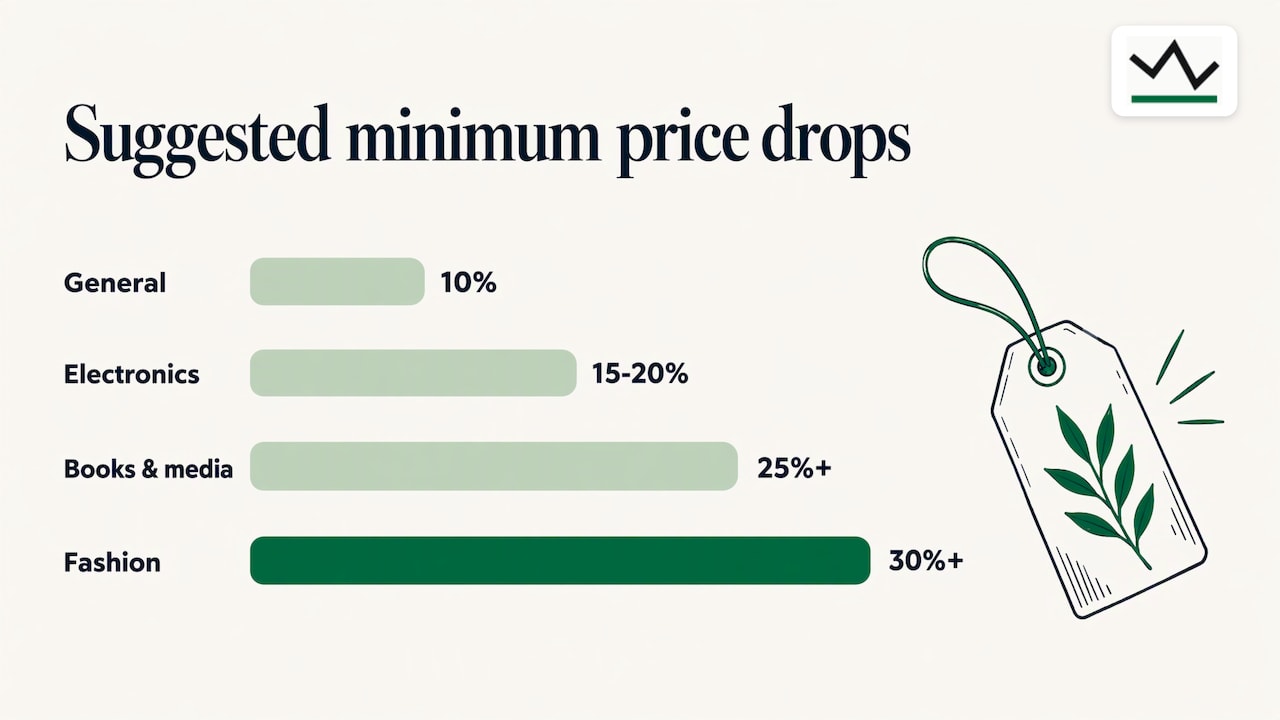
A sensible general starting point is a minimum drop of about 10%. Category adjustments suggested by one tracker guide:
| Category | Suggested minimum drop |
|---|---|
| General purchases | 10% |
| Electronics | 15 to 20% |
| Books and media | 25% or more |
| Fashion | 30% or more |
| Household essentials | 10%, or a specific dollar amount |
Those figures come from TaskMonkey's threshold guidance. For email specifically, a drop of around 5% is usually too small to be worth a message, and thresholds of 10 to 15% or more are the norm (Sequenzy).
Two cases deserve a dollar target instead of a percentage:
- Cheap items. A 10% drop on a $12 item is $1.20. You will not notice it. A target of "under $9" is clearer.
- Expensive items. A 10% drop on a monitor or a phone can be real money, so a percentage works well and may even be too strict. Look at the history to see how deep the item has gone before.
For ebooks the pattern is different, since prices swing a lot and quickly. See how to track ebook prices and catch Kindle price drops.
How to tell a real deal from sale noise
An alert tells you the price moved. It does not tell you the price is good. Before you click buy, run a short check.
- Compare with the 90-day and 365-day lows. If the price is at or near the year's low, it is a strong candidate. If it is far above the low, it may just be a routine dip.
- Check how often the item dips. If it falls to this level every few weeks, waiting costs you little.
- Check the replacement cycle. When a new model arrives, older models often settle at a new, lower normal.
- Check the total cost. Shipping, the seller, bundle contents, warranty and coupon terms can all change the real price.
From these you can build a simple rule. Buy if the total is at or below your target. Buy if it is below your ceiling and you need it now. Wait if the drop is small, the item regularly goes lower and you are in no rush. The aim is a better decision than buying blindly, not a guess at the absolute bottom.
Our buy now or wait checklist covers five history checks that separate sale noise from a real drop, and tracking Amazon prices explains how to verify the "was" price shown on a page.
What history cannot show
No tracker sees everything. Promo codes, clip-on coupons and some short-lived promotions may not appear in a price record, so the price you pay at checkout can differ from the charted one. Shoppers who qualify for group discounts also have a layer the history will not include; this guide on stacking military discounts with cashback shows how those extras combine with a sale price. Compare the final cart total with your target, not only the chart.
Managing alerts so you do not miss the good ones
The most common failure with price alerts is too many of them. When every message is a maybe, you stop reading.
- Cap the list at 10 to 15 active alerts. Each one should be something you would actually buy at the target price.
- Prune monthly. Remove items you have bought, replaced or lost interest in.
- Space out repeat alerts. For items that bounce around daily, a minimum gap between notifications, such as once a month for the same product, prevents a flood (Sequenzy).
- Match urgency to channel. Save the loud channels for the few items that matter.
If you ever want to stop tracking inside a search engine's shopping tool, the activity page lets you delete your product price tracking history (CNBC).
What to look for in a price alert service
When you compare services, these are the questions that separate a useful tracker from a noisy one:
- Where does the price data come from? Records the service collected itself are easier to trust than a "was" price supplied by the merchant.
- How far back does the history go? A year of data shows seasonal patterns that a month cannot.
- How hard is it to start? Needing an account just to try one alert slows you down.
- Can you set your own trigger? A target price, a percentage and a back-in-stock option cover almost every case.
- What happens after you buy? Prices often fall again within days, and a tracker that notices can save you money if the store allows returns or adjustments.
We built BasketPrice around these. Our price records come from our own readings, not from merchant claims, and our alerts include post-purchase price drops within return windows.
Our perspective
Most price alerts fail for the same reason: they answer "did the price change?" when the shopper's real question is "is this a good price?"
That is why we publish records based only on the prices we collect ourselves. A retailer's "was" price is a claim. A recorded history is evidence. When an alert fires, you should be able to see the 90-day and 365-day picture right beside it, and decide in seconds.
We also think alerts should be easy to start. Browser notifications with no sign-up mean you can set a target while you are still on the product page, and a post-purchase trigger means the work does not stop at checkout: if the price falls while you can still return the item, you hear about it.
Finally, we believe in fewer, better alerts. Pick the items you really want, set a target from the history, and let the tracker do the watching.
Cleaning
Start tracking with BasketPrice
If you shop on Amazon, you can start with our Amazon price tracker: add the product, set the price you want and turn on browser notifications. To see what recent drops look like against real history, browse the Amazon discount finder or the price records of Amazon deals.
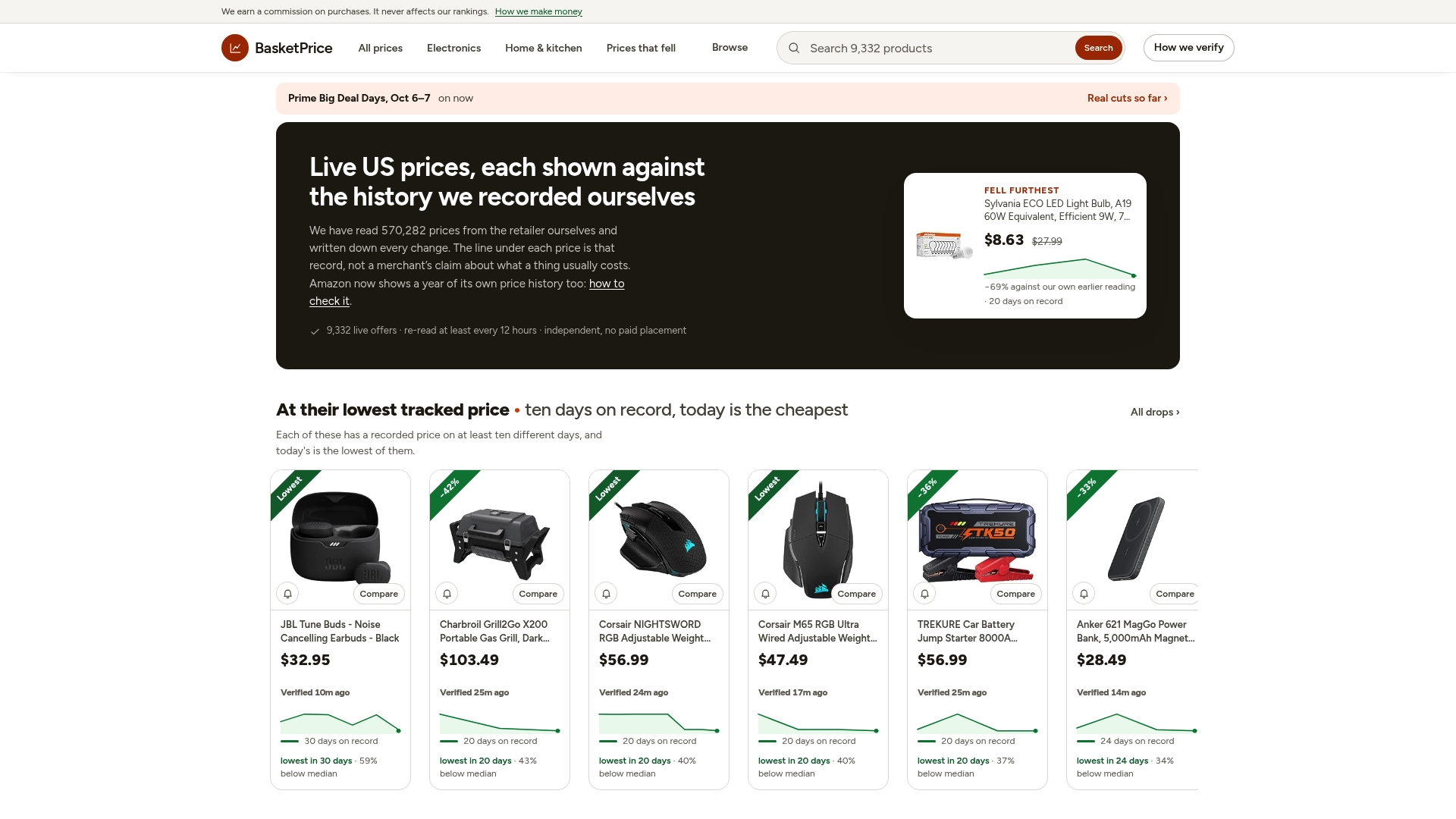
For a deeper walk-through of the alert options, read our guide to Amazon price alerts backed by up to a year of price data.
FAQ
How can I get email price alerts for Amazon products?
Amazon does not provide a complete price-drop alert for individual products, so you use a third-party tracker. Paste the product link, set a target price, enter your email address and confirm the alert. Some trackers use a browser extension and a free account instead (BrandsBro).
What drop percentage should I set?
Start near 10% for general purchases. Electronics usually justify 15 to 20%, while books, media and fashion need larger drops before they count as deals (TaskMonkey). Adjust after a few weeks based on how often you are alerted.
How many price alerts should I keep active?
About 10 to 15. Beyond that, most alerts are for items you would not truly buy, and the useful ones get lost. Review the list monthly and delete anything you no longer want.
Do I need an account to get alerts?
Not with us. BasketPrice browser notifications work without sign-up, so you can set an alert on a product and leave the tab behind. Email-based services need an address so they can reach you.
Sources
- How to Set a Price Alert on Amazon Before Prices Jump (BrandsBro)
- Price Drop Alerts Done Right: Thresholds, Variants and Noise (TaskMonkey)
- How to Use Price Drop Alert Emails (Sequenzy)
- How to use Google Shopping to get notified of sales (CNBC)
- Free Chrome extension to get a deal on Amazon (MakeUseOf)
- Stacking military discounts with cashback